



Onlineshop & interfaces
Make yourself comfortable
Order tools at the click of a mouse in the online shop
Register for our online shop and make your life easier with lots of practical features: order tools 24/7, check prices and stock levels in real time, download tool data and automatic reordering thanks to the subscription function.

Many practical functions
In the Gühring online shop, you can not only order tools online with just a few clicks whenever it suits you. As a registered user, you also have access to numerous functions.
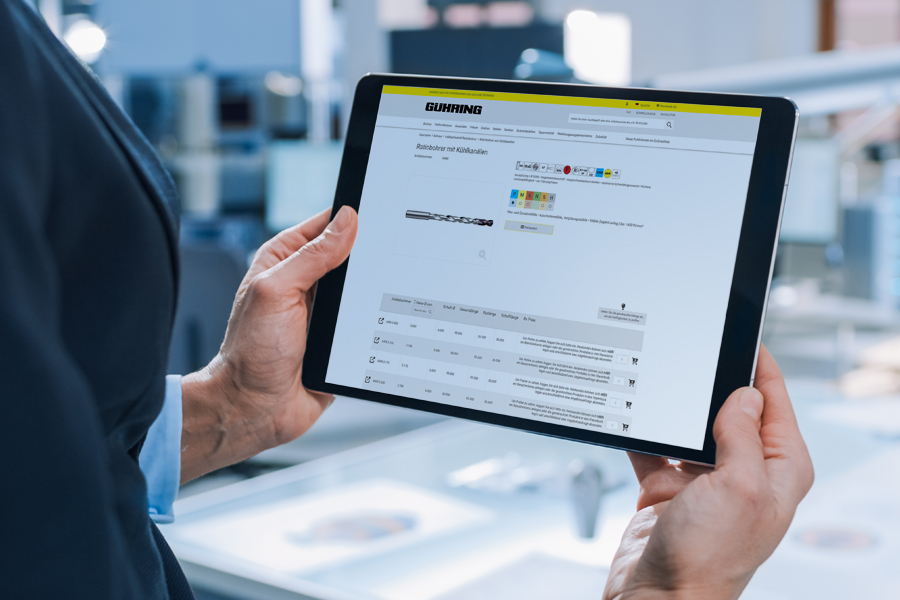
Store your personal purchasing conditions and individual prices in the system. You can check the availability of tools online 24/7. You can also use your own material numbers to navigate the shop. Creating watch lists and shopping cart templates saves you work when you have recurring orders. You also have the option of assigning individual user roles to your employees and authorising them to forward shopping baskets, for example. The subscription function allows you to reorder tools automatically. The OCI online shop interfaces or the link between the shop and the Gühring Tool Management Software (GTMS) offer you even more purchasing convenience.
PunchOut (OCI/cXML)
Convenient shopping with PunchOut
Integrate our online shop into your purchasing processes
With a PunchOut interface, the Gühring online shop and your ERP system merge: you place the desired products in the shopping basket in our shop and transfer the relevant product data to your procurement system to generate a order.

These are the advantages of PunchOut catalogues:
- simpler & shorter purchasing processes
- access to individual prices & conditions
- information about availability & discounts will be updated in real time
GTMS
Automatic warehouse management
Connect online shop and GTMS
Connecting the Gühring online shop with your Gühring Tool Management Software (GTMS) saves you time and labour costs, as the article data can be imported directly. Open orders can be tracked in the online shop and conveniently booked when goods are received.
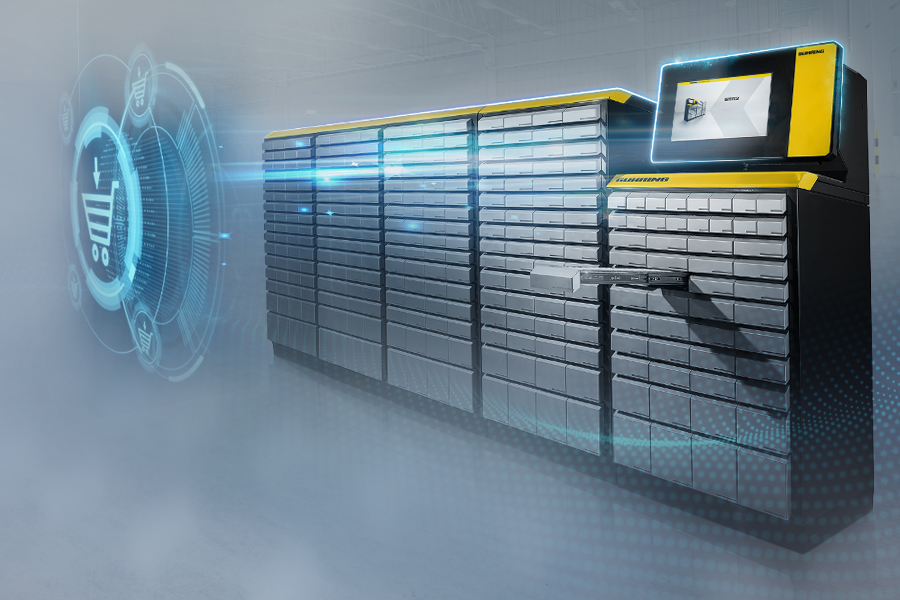
The interface between the two previously self-sufficient systems GTMS and Gühring online shop makes things easier. By connecting to the online shop, the procurement process is mapped transparently and without media disruptions.
Your benefits with the GTMS interface:
- access to information on the entire Gühring online shop product range
- creation and updating of Gühring articles including import of article data at the touch of a button
- transfer of article image, tool drawing, DIN 4000 data and current prices
- indication and tracking of orders from the GTMS in the online shop account
Get even more information at 00800 2607 2607.
How the linking of GTMS & online shop optimises processes
Through the link with Gühring online shop, information about your items (prices, descriptions, material numbers) is automatically transferred to the GTMS and updated there. The GTMS monitors the tool issue and communicates to the online shop when tool stocks are running low. If a predefined minimum stock level is reached, a certain quantity of items is automatically reordered. In your customer account, you can also see the orders triggered at the cabinet at any time and monitor your tool management in a targeted manner.
You have a question?
You may find the answer right here.
Where can I register as a new customer in the Gühring online shop?
Click here if you want to register for the online shop. Fill in at least all mandatory fields of the registration form. Then click on the yellow “Create an account” button. This completes the registration process.
How long will it take for my registration to be completed in the Gühring online shop?
After registration, your data will be checked and your user account will be linked to your company. As soon as your account is activated, you will be informed by e-mail and can then use all the benefits in the Gühring online shop. As a rule, this process takes 1-3 days.
How do I set up the OCI-PunchOut interface?
Register in the Gühring online shop: to register
Once your user account has been activated, you can set it up.
Call up the URL to your OCI Auto Login under > My Account > Order Functions > OCI Transfer (A = example of the URL: https://webshop.guehring.de/en/prolineoci/login/q/k/169bd4bc018411b1b3c73ef63563da7/).
Then call up the OCI shop in your ERP and fill your shopping basket.
In the shopping basket view, the shopping basket can be transferred to the ERP using the “Transfer via OCI” button. The shopping basket can then be further processed in the ERP.
How do I integrate PunchOut into common ERP systems such as SAP and Oracle?
The integration of PunchOut into common ERP systems such as SAP and Oracle requires appropriate configuration and customisation. In some cases, standardised protocols such as OCI (Open Catalog Interface) for SAP or cXML (Commerce XML) for Oracle, for example, are supported.
What do I need to connect the GTMS and the Gühring online shop?
To use the online shop connection, all you need is a customer account in the Gühring online shop and the latest version of GTMS on a PC or output system. If you are already using GTMS in your company, we will be happy to check whether an update is necessary.
Is the shop connection possible with every TM enclosure from Gühring?
The connection is compatible with all enclosure models. However, the software can also be installed as a licence on a workstation (PC, laptop). This means you can also manage your tools using GTMS on a PC or tablet and store them in your conventional storage systems. However, the cabinet has the advantage of automatic and transparent inventory management and makes the procurement even more convenient.
Who do I contact if I have problems with the online shop or the implementation of interfaces?
For assistance, use our live chat. Our specialists will provide you with assistance from 7:30-16:00. You will find the chat button at the bottom right-hand side of the online shop and on our website. Click on it to open a chat window. You can now assign your question to different contact persons by choosing between shop, technical or customer support. An employee will take care of your request. You can also contact us by phone or e-mail contact. You can reach us from Monday to Friday from 7:30-16:00 (not on public holidays).
00800 2607 2607 | e-commerce@guehring.de

 Newsletter
GTMS
Our software takes care of the most common tasks in your company

CAD & cutting data
CAD data, cutting data and 3D models available for free download

Products
Precise tools for every application


